Dungeon Generator & Drawing App for D&D & TTRPGs
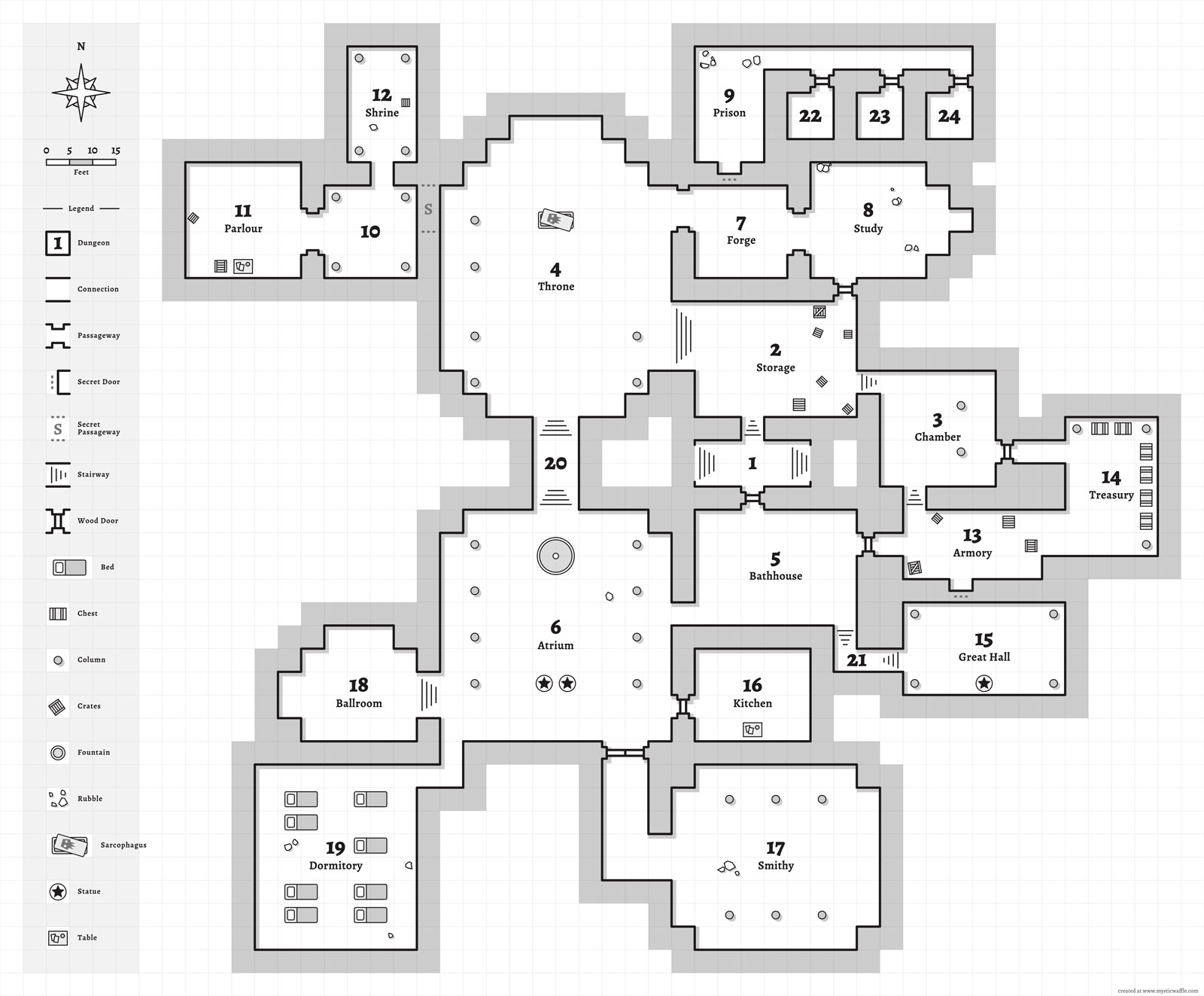
Generate dungeon maps for your Dungeons & Dragons, Shadowdark, and other TTRPG sessions: draw, customize, and generate loot with Mystic Waffle's free Dungeon Generator v2!
The v2 generator builds on the foundation of my v1 Dungeon Generator, adding new features, enhanced visuals, and more advanced generation algorithms. The app features a complete suite of dungeon map drawing tools, detail stamps, and a map annotation editor. The extensive customizable D&D / fantasy RPG loot generator is perfect for quick room and chest content randomization mid-session.
Launch Mystic Waffle's v2 Dungeon Generator
What's New in v2?
The Mystic Waffle v1 dungeon, area, and loot generator was a significant single-developer undertaking, and while it functions well it has some architectural limitations for the features I envisioned it evolving into. From 2022 to 2024 I plotted in secret: coding, designing, iterating, and perfecting an advanced evolution, building on top of the concepts and techniques of the procedural generation framework designed in my v1 generator—integrating a full map drawing app, seeded generation, and much more. Behold! Mystic Waffle's v2 Dungeon Generator!
Generator Re-architecture & New Features
The v2 dungeon generator is a complete rewrite and re-architecture from the ground up. Starting from scratch allowed me to plan and design so many new features (and future features to come) that the v1 app simply would not have allowed (think putting a square peg through a round hole... with a sledge hammer).
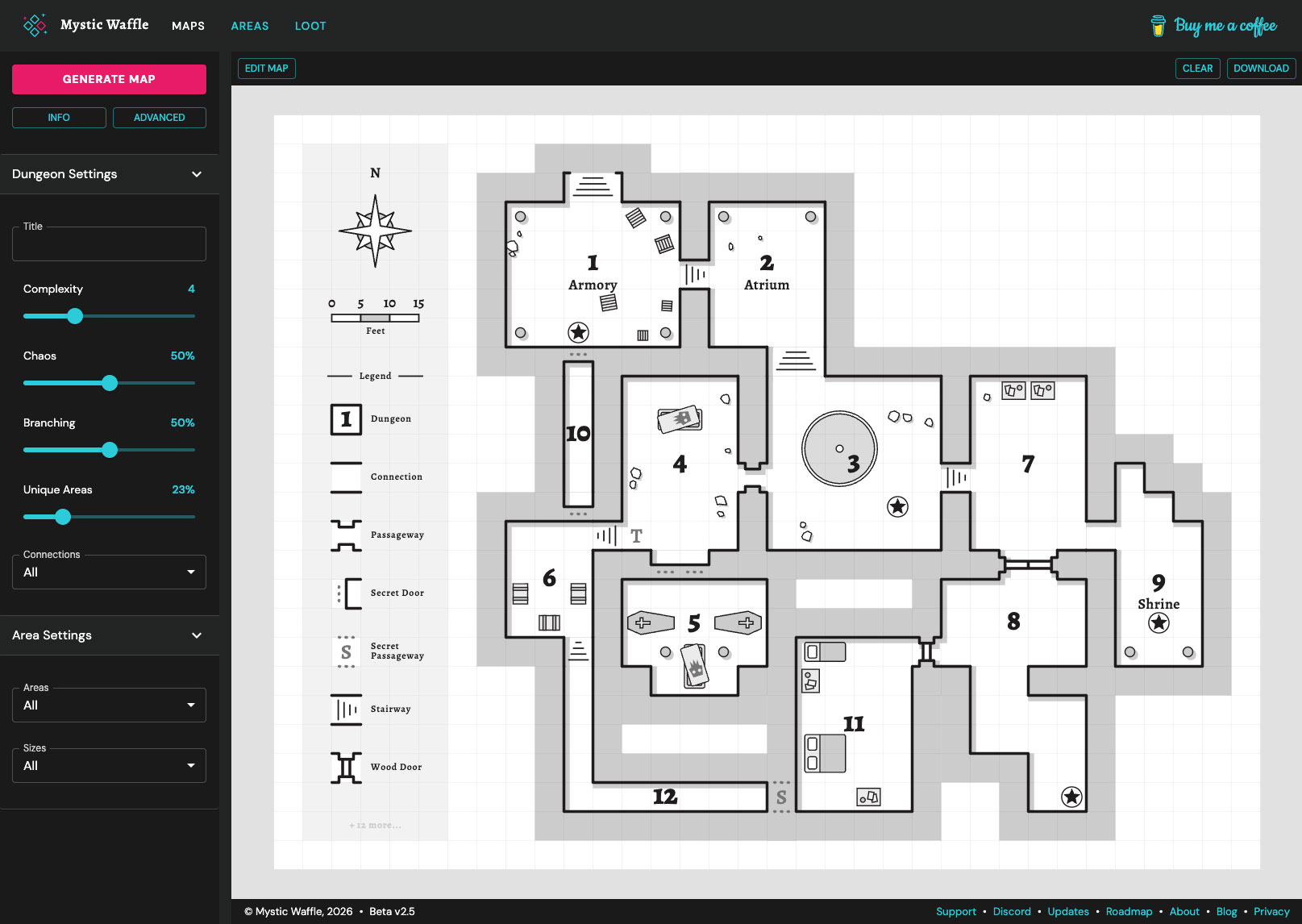
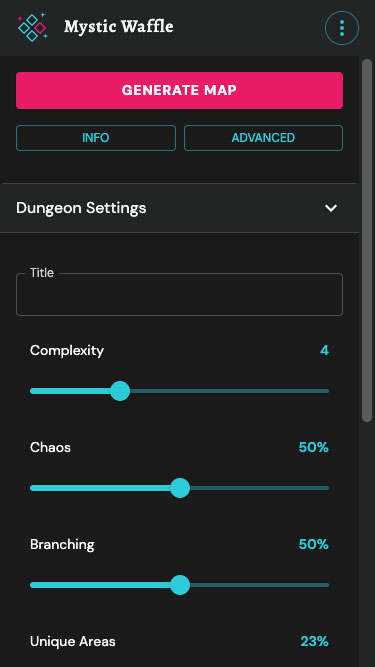
The new app adds a number of new map generator settings and configurations. In addition to maintaining the v1's complexity slider, v2 provides sliders for layout Chaos, layout Branching, Unique Area distribution, and a multiselect for area connection types. More on map drawing and customization tools below.
Unique Area Generation
The Unique Areas multiselect controls how many named rooms are distributed on the map, directly contributing to storytelling and session ideation. Post generation you can enter into edit mode, select an area, and add, remove, or edit the area labels. Nice. Plus you can add a title across the top of the map.
Seeded Generation
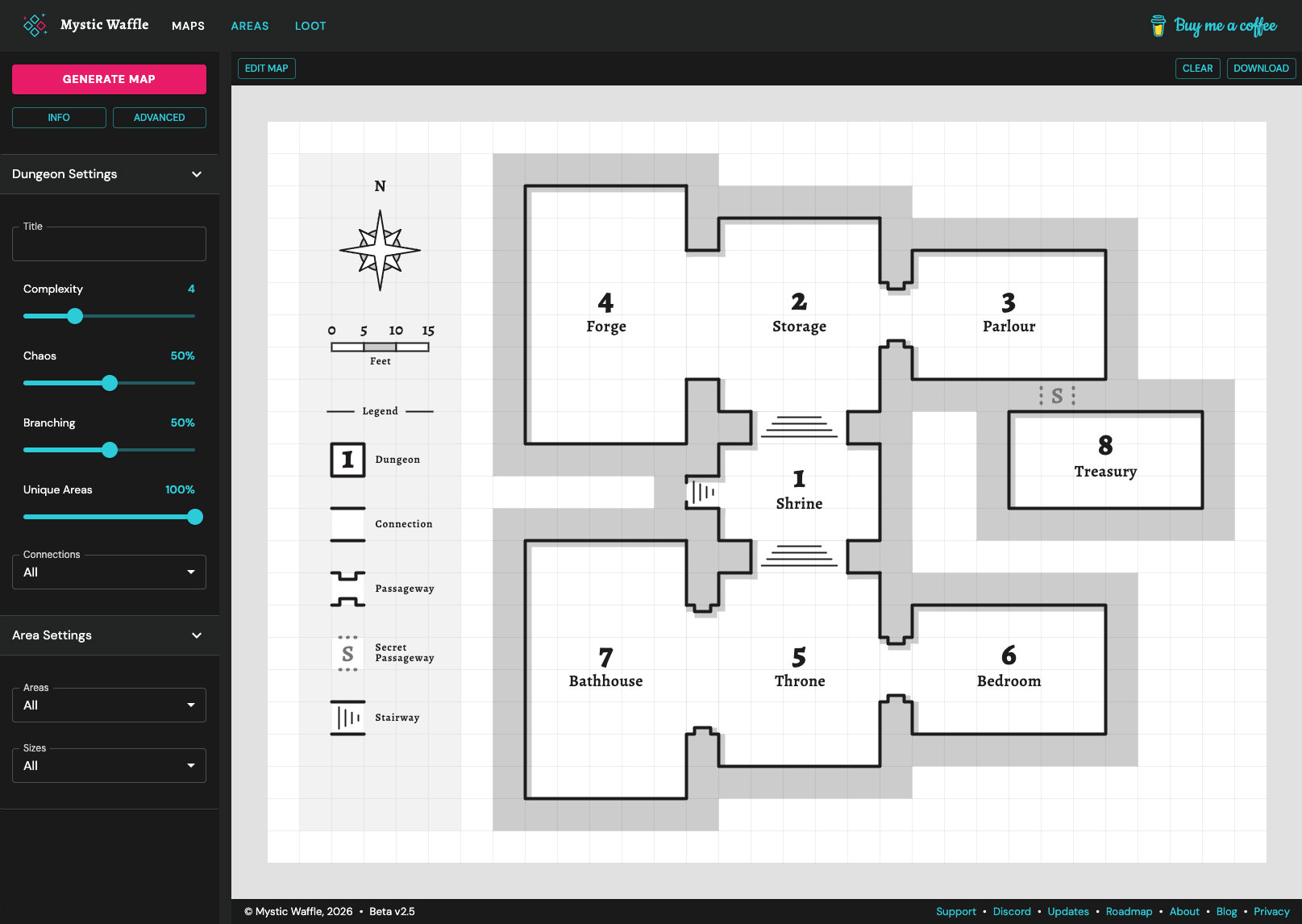
One critical limitation of the v1 generator was generation repeatability, which is useful both for users and debugging. As part of the re-architecture I integrated generation "seed" logic into both the map and loot generators. This means that you can manually input a "seed" (under the map generator's Advanced tab in the sidebar) which allows you to re-generate the exact same map multiple times.
Seeded generation can be useful if you want to save a particular result as a base to edit, or you want to fiddle with the generator's settings while using a fixed seed (which will produce different results in a controlled manner). Furthermore, generating a random map provides you the last used generation seed which you can copy to your clipboard with a click of a button for later.
Enhanced Map Design
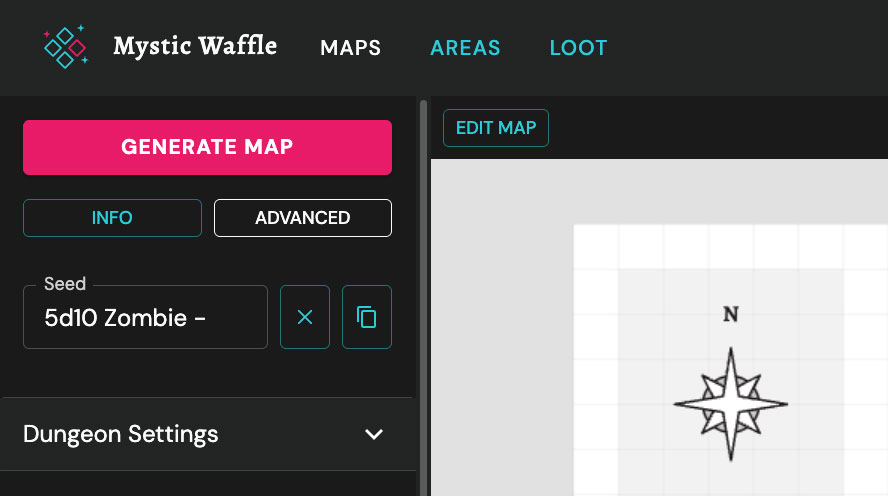
The new generator's visuals have been completely refined: better contrast, bolder borders, refined grid, detailed connection cells, bigger and bolder area numbers and area titles.
Connections can now be multi-cell, up to 4 units wide (that's a big door)! Generation randomizes doorways and passage widths based on the connected room sizes. Stairways have been added and the details for doors, passageways, and secret connections have been improved. The map theme can be switched in the settings panel, which currently supports "Classic" and "Pixel Art" themes (with more planned in the future).
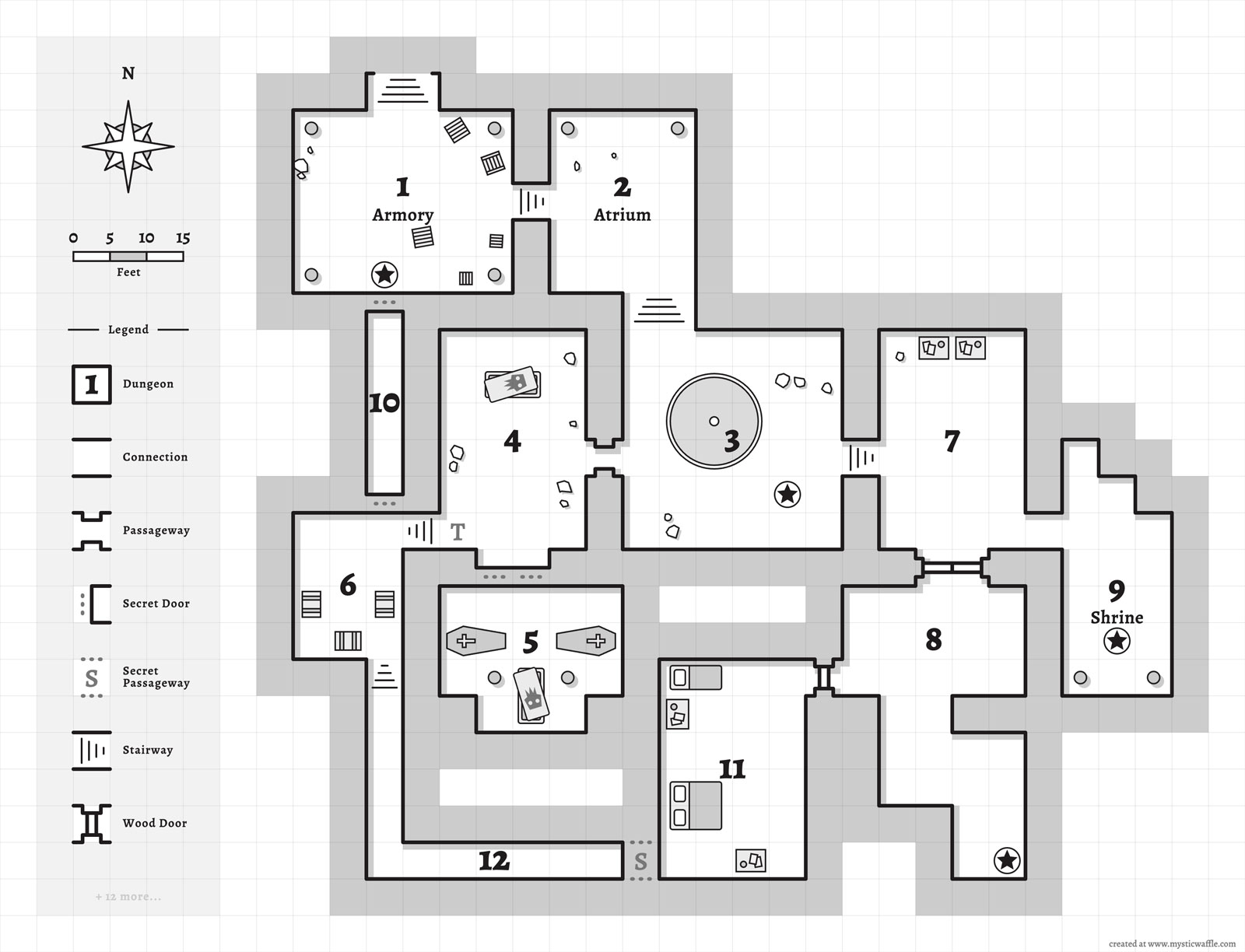
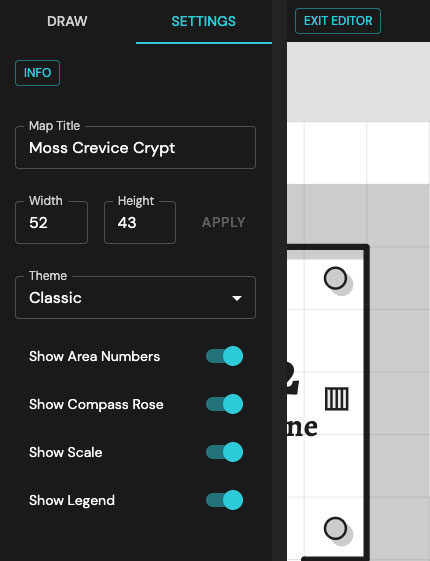
Optional legend, compass rose, and unit scale map embellishments have been added, and can be shown or hidden in the map editor's settings. Area numbers can also be toggled off in the map editor, which is a nice touch if you want to reduce visual clutter and don't require area identifiers (or you've titled every area). Additionally a map title can be added which is rendered in a banner at the top of the map.
Download & Restore Maps
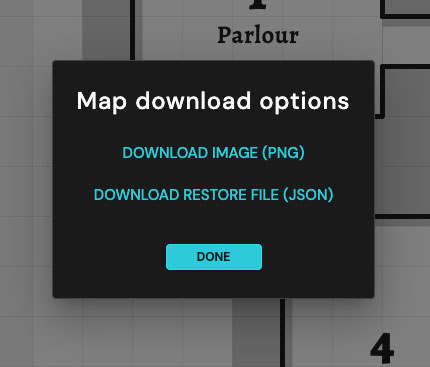
One of the biggest limitations of the v1 generator was that there is no way beyond screen-shotting to download or save your maps! Unacceptable! The v2 generator was built to overcome exactly this type of limitation. You can now download a high resolution PNG image of your map and/or a JSON backup file! Backup JSON files (such as map.mw.json) can be imported on the Dungeon Map Generator landing page by clicking the "Import Map" button. Your work-in-progress will be restored and you'll be landed back into the map editor.
Support for Mobile Devices
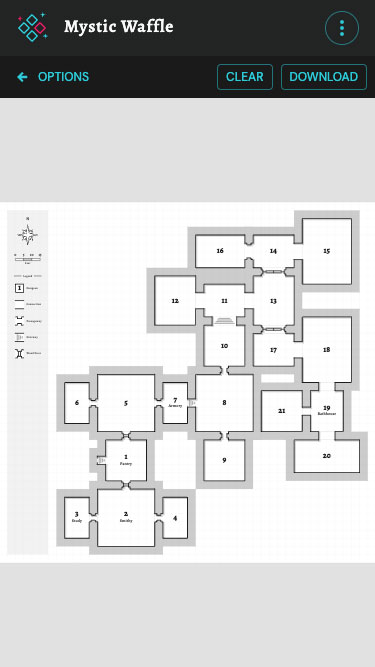
The v2 app now adapts to small screens on mobile devices and phones—perfect for mid-session randomization at the table. Map drawing and editing remains a desktop experience, giving you the full precision and screen real estate the tool deserves.
Phone support was a major goal for v2 not only because of how prolific mobile devices are but even I wanted to be able to run generations from my phone during games.
Map Drawing & Customization
One of the features that I always wanted in first version of my generator was to be able to generate a dungeon and then tweak specific aspects of it; change a room name here, nudge a connection there, swap a secret passage out for a locked door. I spent a significant amount of time focusing on this aspect as part of re-architecting the map generator. Building a grid-based drawing tool (which I call "The Matrix" in code) as the core foundation for all generated visuals made it possible to seamlessly transition maps between generator mode and authoring mode.
Drawing Tools
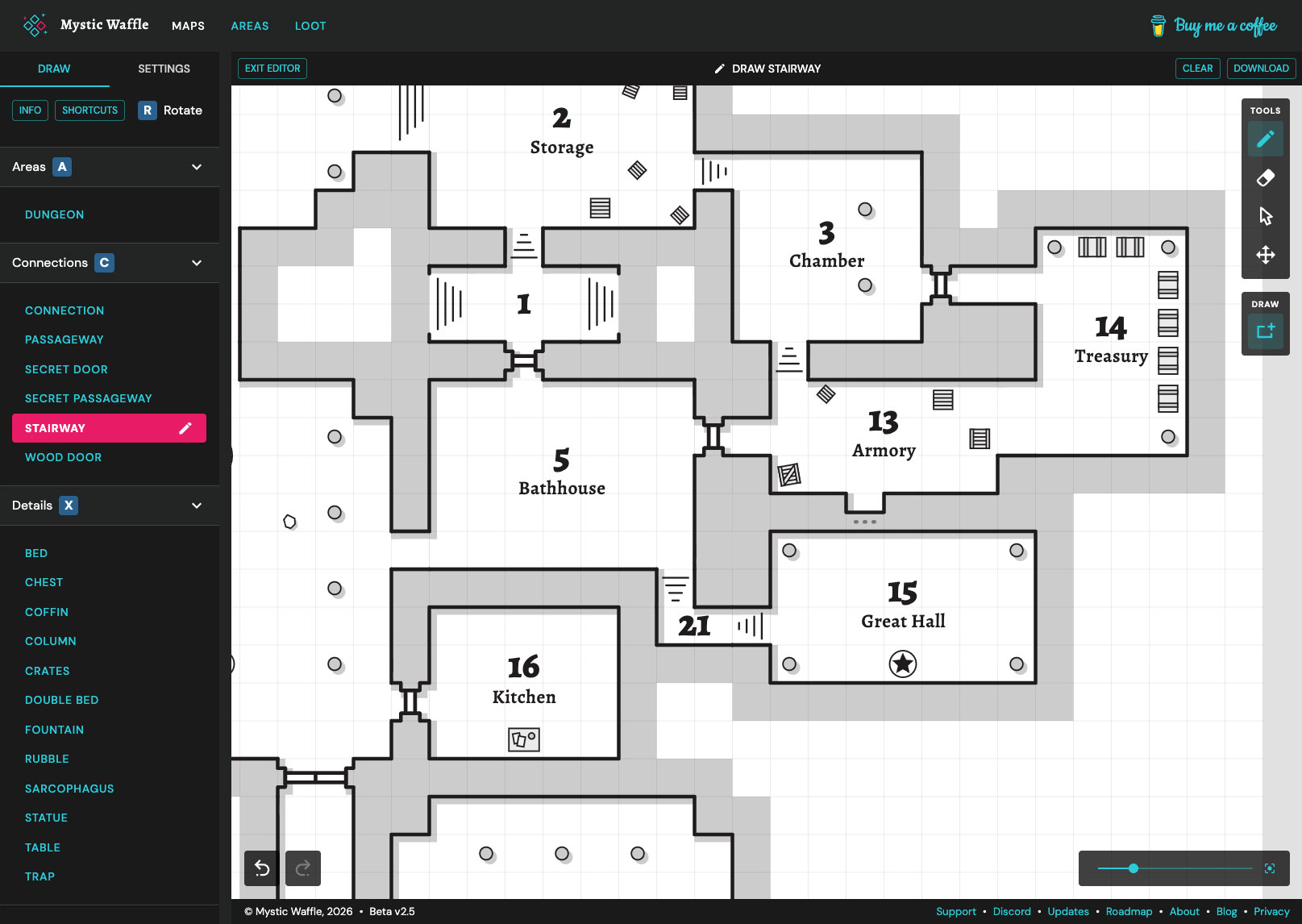
The drawing tool supports drawing dungeon areas (and caves and other terrain in the future) via both free draw and rectangle draw. New cells can be merged with existing areas simply by drawing next to them.
Connections (doors, passages, stairways, secret doors, etc) can be placed at the edge of areas or between rooms—the internal data model for dungeon maps tracks and maintains these area relationships to enable future logic around area connections.
The select tool allows you to select an area, rename it, and add a description (future plans will allow you to display those descriptions as annotations on the map).
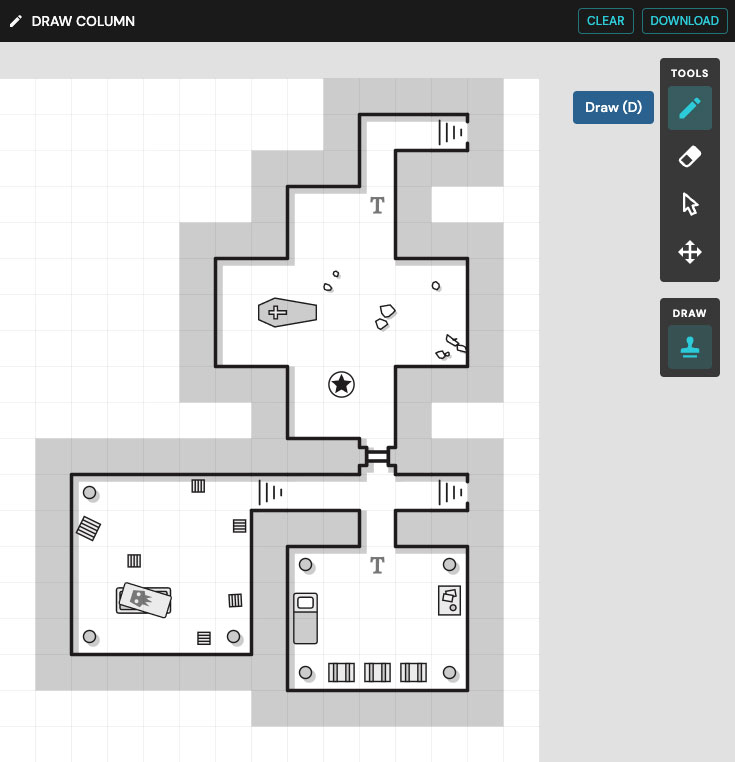
Details such as beds, chests, coffins, columns, crates, and much more can then be free-drawn or stamped onto the map. Recently I made specific details rotatable and added support for multi-cell details, such as beds and coffins which occupy 2 × 1 cells as a fixed-unit.
The erase tool lets you erase details from areas, or erase just specific area cells (allowing you to re-shape existing areas), remove entire areas, or delete individual connections. Areas split by an erase event are fragmented into a new independent region—automatically assigning it a new area number.
History State
Maintaining history state during map drawing was architected and integrated early on in this project as I knew this would be a difficult thing to integrate into the application later. Each draw or erase interaction adds a new history entry to a stack which enables undo and redo actions to step through as many events as you want (just like Photoshop).
Zoom & Pan
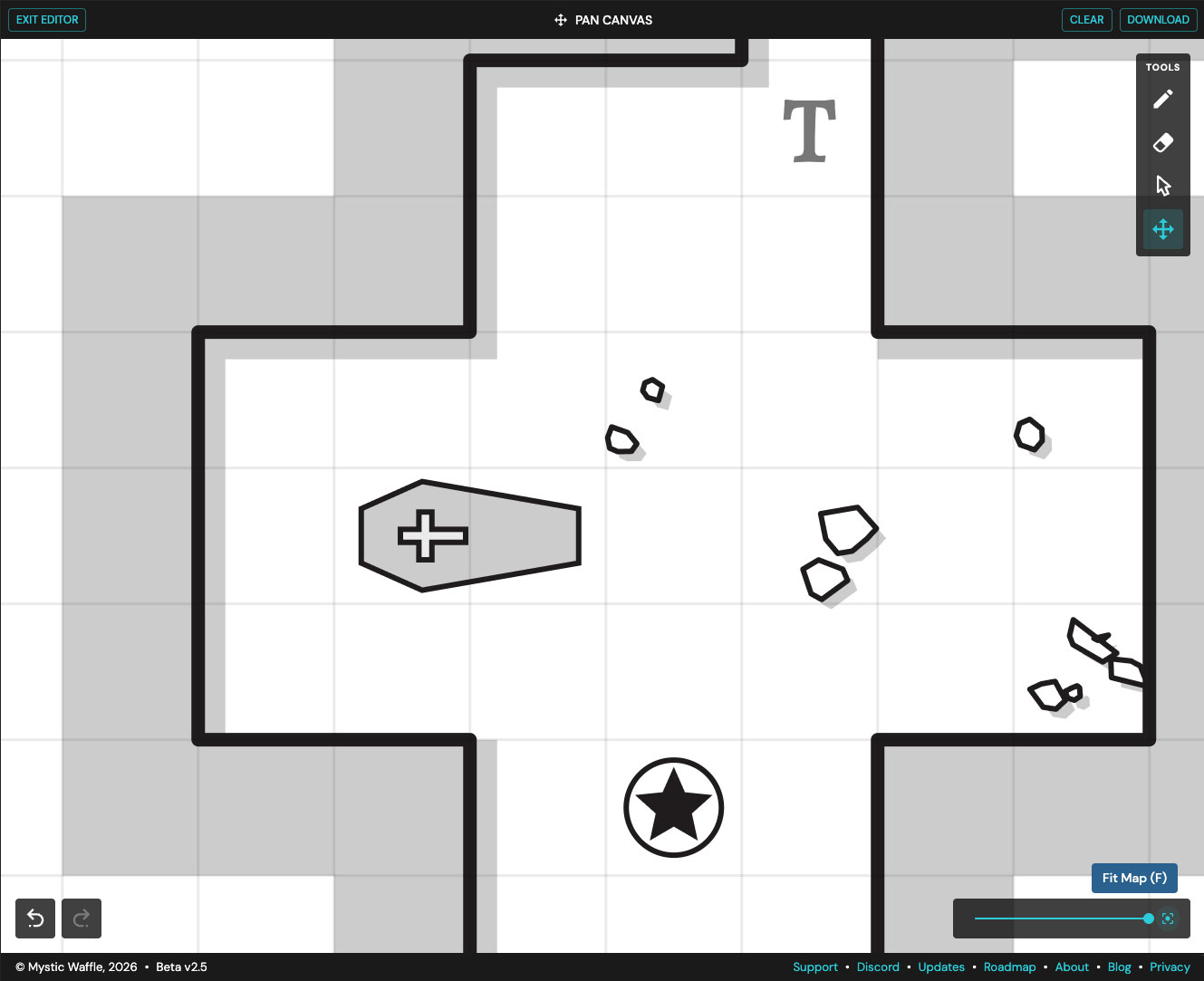
The editor can be zoomed in and out, and panned around the map (just like Google Maps). A convenient "Reset Zoom" button allows you to quickly full-size the map to your browser window.
Keyboard Shortcuts
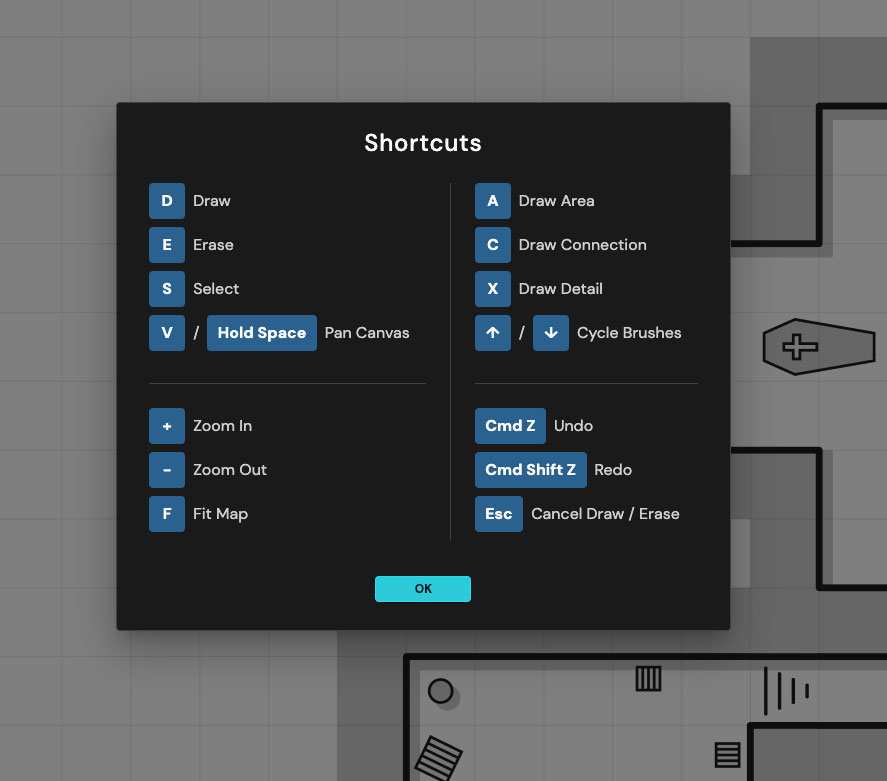
The editor supports a number of keyboard shortcuts for quickly switching between tools and swatches. A keyboard shortcut guide is available in the editor by clicking the Shortcuts button in the sidebar.
Loot Generator
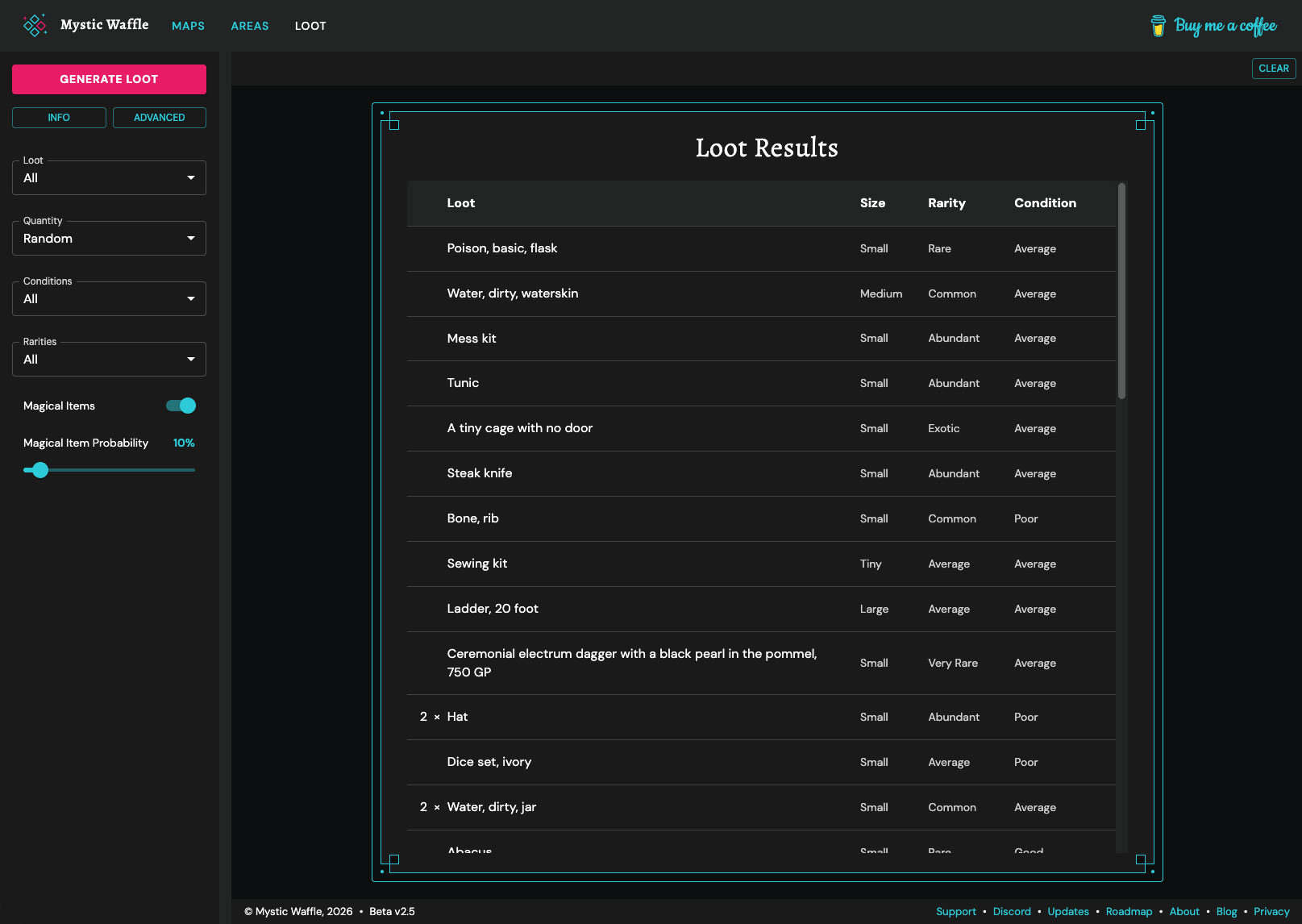
The loot generator has also been enhanced. The randomization algorithm has been improved and the same seeded generation dynamic as the map generator has been integrated. Furthermore, the loot dataset has been significantly expanded with more items, new categories, and more variations on specific items.
Mix & Match Loot Categories
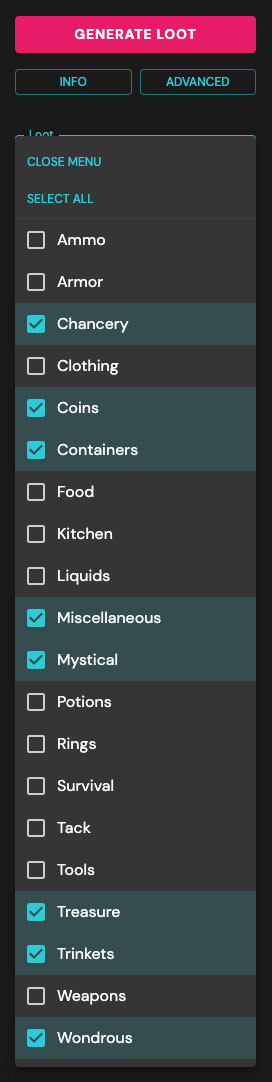
One of the biggest issues with the v1 loot generator is that you could only generate all loot categories at once or a single category at a time. Part of the v2 user interface overhaul included a multiselect mechanism. Now you can select as many or as few categories for loot generation and items will be generated across all selected categories.
Need contents for an armory? Easy, choose Ammo, Armor, Tools, and Weapons. Need simple household goods? No problem, choose Coins, Containers, Food, Kitchen, etc. Need dungeon or chest loot? You've got it, select Mystical, Potions, Rings, and Wondrous.
Control Magical Item Distribution
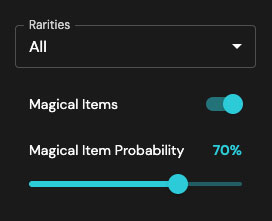
Magical items can now be toggled on or off and a Magical Item Probability gives you randomization control for magic item distribution. Want magic items to be rare? Set it to 5%. Need to guarantee your adventurers find some sweet loot? Crank it up to 100%.
Loot Table of Contents
The loot generator also includes a complete reference table of every item in the dataset, organized by category and annotated with rarity and size. It's a great tool for browsing available items or planning session loot by hand.
Inspiration & History
So why did I build this app? Well, for starters it was fun: I love TTRPGs and I love to code. Procedural generation has always been intriguing to me. I love the mystery of a good Roguelike and I'd always wanted to try my hand at building one. A web application for randomly generated RPG resources also felt especially appealing; anyone with a web browser can access it, no installation, automatic upgrades, and it's available on literally every web-enabled device.
It all started in the winter of 2019. I was stuck at the in-laws but luckily I had my MacBook. The application started as very simple "area" generator. Literally just randomized area descriptions: ice caves, buried ruins, old mansion rooms, etc. The next step was adding item generation; what good is a room without anything to loot? Next I started experimenting with procedurally placing and linking areas together on a 2D matrix (also known as a multi-dimensional array) which I plotted and rendered as a SVG (scalable vector graphic) into the browser.
The v2 generator has come a very, very long way from this humble beginning. Maps are now rendered into an HTML Canvas which allows them to be downloadable as PNG images, maps can be backed up and restored via a downloadable JSON file, visuals have been enhanced, details added, and much much more. My friend Paul joined the project and has contributed pixel art assets for map details when selecting the Pixel Art theme. The entire history is catalogued on the app's Updates Page.
Tech Stack
The generator is forged in JavaScript (TypeScript under the hood) and uses React as the main rendering engine. I've tried to keep open source dependencies to a minimum—selecting only truly critical infrastructure components:
- Konva: Dramatically simplifies HTML Canvas rendering for the maps feature. Huge thanks to the maintainer of this excellent open source project.
- Material UI: An elegant, accessible, exhaustive, and customizable user interface library. Material UI not only saves time but boosts quality.
- Javascript Clipper: Used for computing areas, shapes, shadows, and border geometry on the map.
- seedrandom: An effective and reliable seeded random number generator for JavaScript.
- Vite: The core JavaScript application bundler.
- Pictogrammers: An incredibly extensive open-source icon library.
Future Plans
If you got this far, wow (and thanks for reading)! Even after all this time, this is just the beginning! I plan on adding features and refining the generator and drawing tools indefinitely. Potential features and enhancements are literally unlimited: multiple interior connections, hallways, multiple dungeon entry points, crosshatching details, auto-placed traps & details, a loot download feature, etc. You can check out my complete brainstorm and user-submitted suggestions on the Roadmap Page. You can also Join our Discord to share your creations, suggest features, and report bugs.
Comments